Create a Student Account
Important!
- Please take a moment to review the steps below BEFORE setting up your account.
- When creating a student account you must change the email address that is inserted into your account creation page from @mail.umw.edu to @umw.edu.
- Once you have reviewed the steps, click the link at the bottom of the page to create your account.
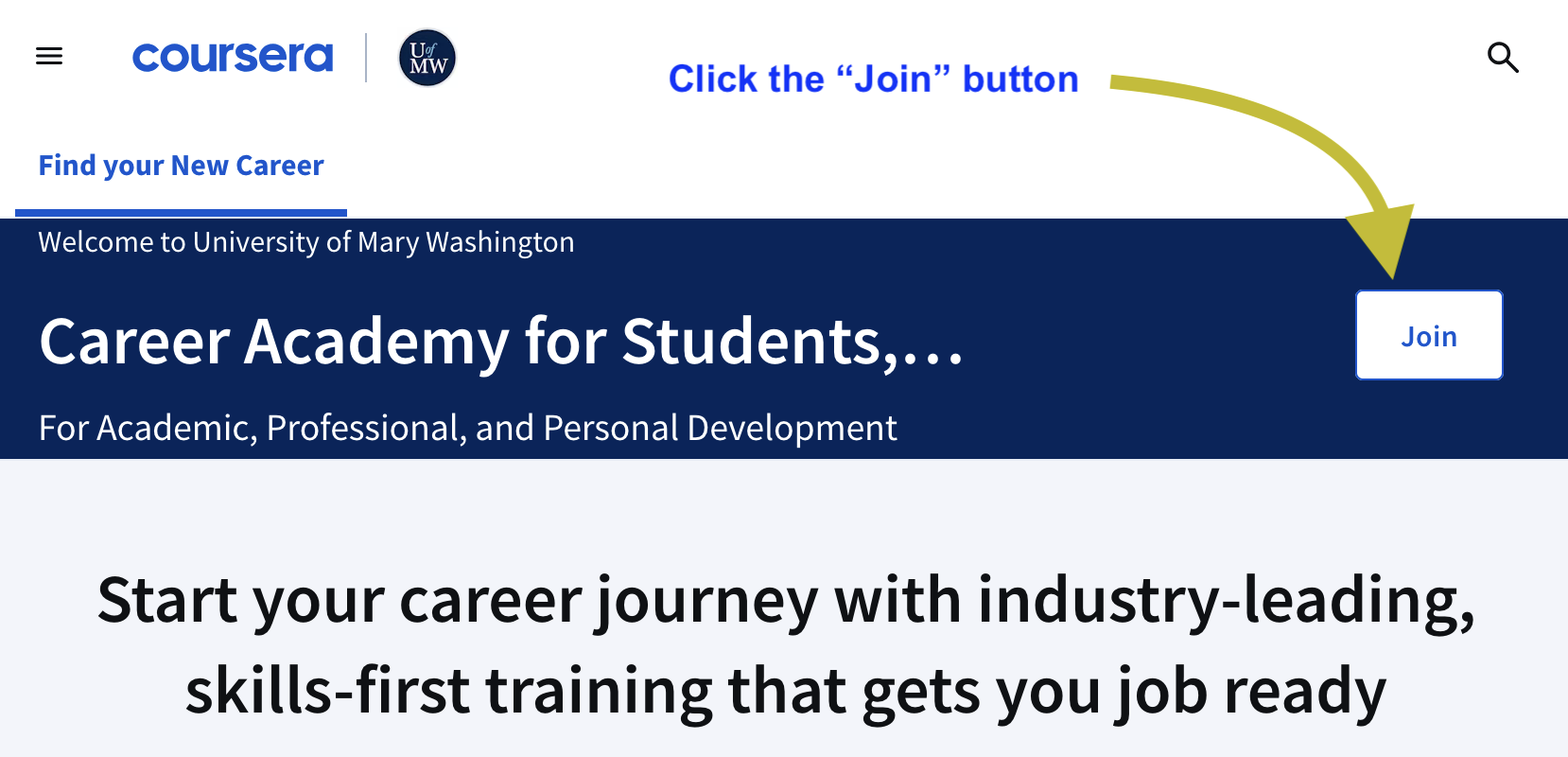
- From the UMW Career Academy for Students, Faculty, & Staff page, click the “Join” button.
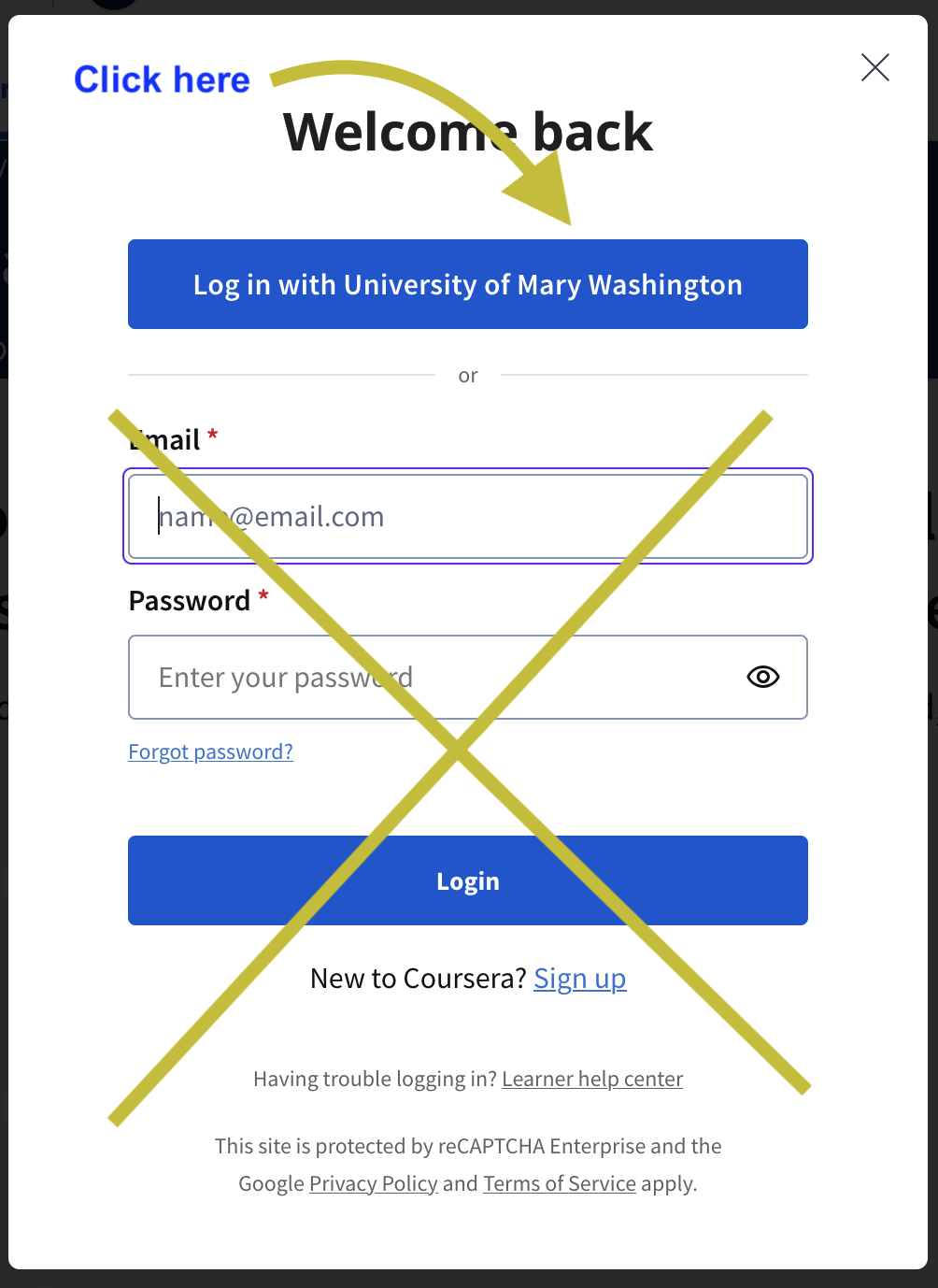
- In the window that opens, click the “Log in with University of Mary Washington” button. Ignore the other login option.
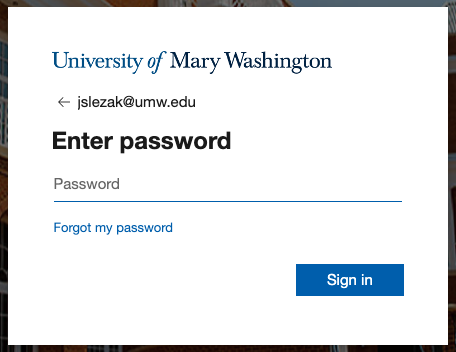
- In the Microsoft 365 Single Sign On window, enter your password.
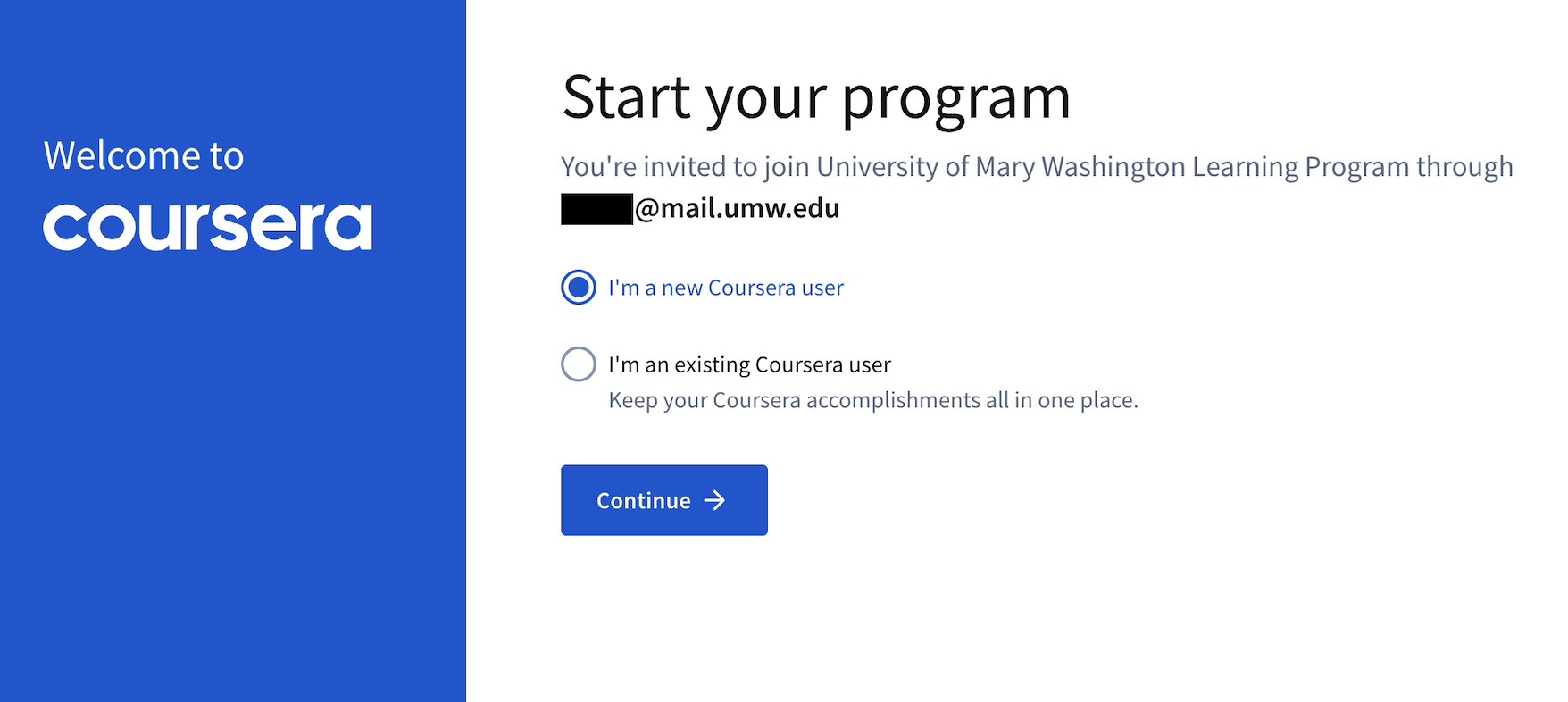
- In the Coursera “Start your program” window, choose the “I’m a new Coursera user” option, then click “Continue.”
- In the Coursera “Set up a new Coursera account” window, be sure to remove the “mail” portion of the email address in the first box.
After you make this change, your email address should appear as “netid@umw.edu”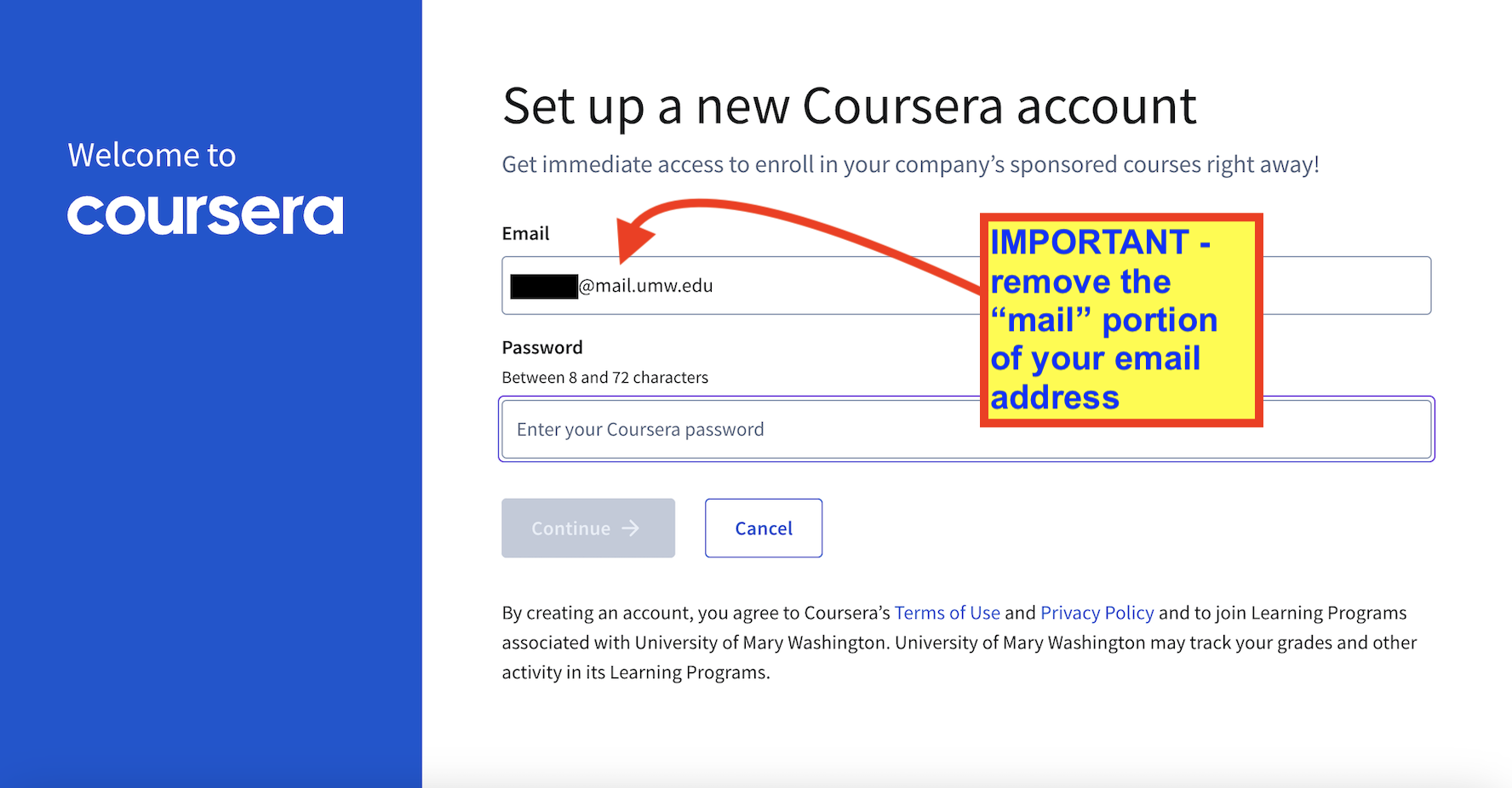
- Next, in the “Password” field, enter your UMW NetID password or another password of your choosing, and then click “Continue.”
- Accept the “Terms of Service” and “Privacy Policy.”
- In the “Join the learning program” window, click the “Join program” button.

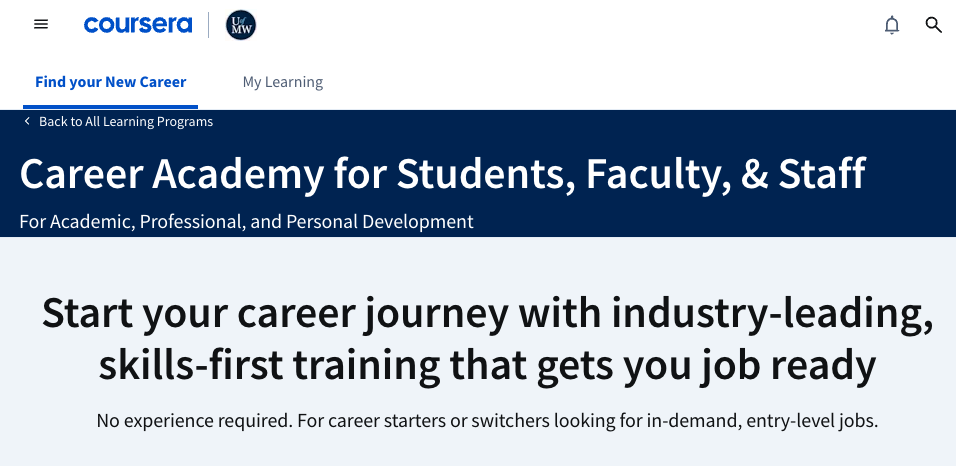
- Your account setup is complete when you see the Coursera page titled “Career Academy for Students, Faculty, & Staff” as shown below.
Now that you have reviewed the steps you are ready to set up your account.
Click this link (it will open in a new browser tab) and start with Step 1 at the top of this page.
Having trouble setting up your account? Take a look at our Coursera Career Academy Support page.